Screenshots
The screenshot-on-failure recipe this plugin documented for years is now the default behaviour. A browser test that says nothing at all about screenshots still reaches the report with a picture of the page its assertion failed on.
A failing browser test photographs itself
A test that fails while holding a Selenium driver or a Playwright page is photographed for you. There is no hook to write, no fixture to add, nothing to import and no conftest.py. It is an ordinary browser test, and its failure arrives in the report with a picture of the page beside it.
The two tabs below reach the same place. The first is the recipe every browser suite used to carry — an autouse fixture, a pytest_runtest_makereport hook to find out whether the test failed, and an explicit attach. The second is a test file with none of that in it.
# conftest.py
import pytest
from pytest_html_reporter import attach


@pytest.fixture(autouse=True)
def screenshot_on_failure(page, request):
    yield
    if request.node.rep_call.failed:
        attach(data=page.screenshot())


@pytest.hookimpl(tryfirst=True, hookwrapper=True)
def pytest_runtest_makereport(item, call):
    outcome = yield
    rep = outcome.get_result()
setattr(item, "rep_" + rep.when, rep)def test_checkout(page):
page.goto("/cart")
assert page.locator("h1").inner_text() == "Cart" # fails, and is photographedThe recipe in the first tab has not stopped working, and it has not started producing two pictures either. A test that took its own picture is not photographed again on the way out, so a suite that already calls attach from a hook of its own keeps exactly the images it always had.


How a browser is recognised
Nothing in the plugin imports selenium or playwright. A browser is recognised by what it can do rather than by what it is: if a thing hands back the bytes of a PNG when asked, it is something worth photographing. That is why the two everybody uses work out of the box — and why appium, splinter and a driver wrapper written in-house work for exactly the same reason, with nothing added for any of them.
| What it answers to | What it hands back | Who that usually is |
|---|---|---|
get_screenshot_as_png() | PNG bytes | Selenium, appium |
.driver answering get_screenshot_as_png() | PNG bytes | splinter's Browser, seleniumbase's sb, or a wrapper of your own |
screenshot() | PNG bytes | a Playwright Page |
.pages | each page, photographed in turn | a Playwright BrowserContext |
.contexts | each context's pages | a Playwright Browser |
The order in that table is the order the calls are tried, and it is not arbitrary. Selenium's call goes first; then the driver underneath a wrapper, before the wrapper's own screenshot(). splinter's Browser.screenshot() writes a file and hands back its path, so a return value that is not the image itself is not treated as one.
The fixture name is a hint, not the test
Before anything is called, the reporter has to decide what to look at. It starts with the fixture names a browser suite tends to use, in this order:
| Fixture name | Where it comes from |
|---|---|
page | pytest-playwright |
driver | the name almost every Selenium suite uses |
browser | splinter, playwright |
context | playwright |
selenium | pytest-selenium |
sb | seleniumbase |
webdriver | — |
session_browser | pytest-splinter |
page leads because a Playwright test is usually handed the page, the context and the browser at once, and the page is the one worth photographing.
Then every other fixture, then the class
The list above is where the search starts, not where it ends. After it come every other fixture the test named — so a suite whose browser fixture is called chrome, or staging_site, or anything else at all, is covered without configuring a thing — and after those, the test class's own attributes, which is where a unittest suite keeps its driver.
Each candidate is read defensively. Attribute access on a live browser handle runs whatever the client put behind the name, and a driver whose session has already gone raises rather than answering; none of that is allowed to fail a test.
When the picture is taken
At the top of the reporter's own teardown wrapper, before the fixture finalizers it wraps. That is the last moment the browser is still open — the finalizer that calls driver.quit() or closes the page is usually the first thing to run inside that wrapper — and it is late enough that anything the suite attached for itself has already arrived.
- The test body runs and fails.
- pytest enters
pytest_runtest_teardown; the reporter's wrapper is on the way in. - The capture runs here, while every fixture the test used is still alive.
- The wrapped implementations run the finalizers — the browser is quit.
- The test's record is built, after the finalizers, so an image attached from a fixture's own teardown still has a record to land on.
--report-screenshots
When the reporter photographs a live browser without the suite asking. It governs the pictures nobody asked for; see attach below for the ones that were asked for.
| Value | What it photographs |
|---|---|
failed | FAIL and ERROR tests only. The default, and the shape almost every suite writes by hand. |
all | Every test. A screenshot of a pass is a baseline worth having. |
none | Nothing automatic. attach still works. |
failed is the default because photographing a green run is a lot of pictures of pages that were fine, and every one of them costs a round trip to the browser.
$ pytest --html-report=./report --report-screenshots=all[pytest]
report_screenshots = allThe flag wins over the ini key. An unrecognised value in the ini file falls back to failed rather than failing the run; on the command line the same value is rejected by pytest's own argument parser, because the option declares its choices. See configuration for the full pytest.ini surface and the CLI reference for the rest of the flags.
Taking the picture yourself
The automatic capture takes the page as it was when the test ended. When the moment matters — a page mid-test, a chart, a rendered PDF, an image diff — hand attach the PNG bytes yourself. It takes the image rather than the browser, so anything that can produce one reaches the report.
Attaches the bytes of an image to the test that is running. Every accepted form is a form of "bytes that are an image":
from pytest_html_reporter import attach

attach(data=self.driver.get_screenshot_as_png())   # Selenium
attach(data=page.screenshot())                     # Playwright
attach(data=await page.screenshot())               # Playwright, async API
Call it from anywhere in the test's lifecycle: the test body, a unittest tearDown, a pytest fixture's teardown, or a pytest_runtest_makereport hook. A test may call it more than once — each image is kept, which is also what lets one test carry a picture of each of two browsers.
attach is kept, whatever the test did and whatever --report-screenshots says. That option is about the pictures nobody asked for; this one was asked for.attach takes bytes, not text. Passing a string raises a TypeError naming the three helpers that do take text — attach_text(), attach_json() and attach_api() — rather than letting Pillow fail with "cannot identify image file", which says nothing about the mistake actually made. All six functions are on the Python API page.
Playwright: pages, contexts and browsers
Asking for page, context and browser together is the ordinary way to write a Playwright test, and all three lead to the same picture. A page reached through three fixtures at once is photographed once: the capture dedupes by the object it ends up pointing at, not by the fixture it came in through.
A suite that drives a context or a browser and never asks for a page is covered from the other direction. A context is photographed through the pages inside it; a browser through its contexts' pages. The walk stops two levels down, which is as deep as those objects nest.
Async pages
The automatic capture is synchronous. Playwright's async API hands back a coroutine rather than bytes, and there is nowhere in a teardown hook to await it — so the coroutine is closed (leaving it unawaited would print a warning against the test) and the report simply has no picture of that one. An async suite attaches from the test body, where there is somewhere to await:
async def test_home(page):
    try:
        assert await page.title() == "Example Domain"
    except AssertionError:
        attach(data=await page.screenshot())
        raise
unittest suites
A unittest suite keeps its driver on the test class rather than in a fixture, so after the fixtures the reporter looks at the test instance's own attributes under the same names — self.driver, self.browser, self.page. A driver built in setUpClass and quit in tearDownClass is still open when the capture runs, and is photographed like any other.
The common shape is the other one: a driver built in setUp and quit in tearDown. unittest runs tearDown as part of the test itself, so by the time the reporter's teardown wrapper is reached the browser is already closed. Attach from there instead, before the quit:
def tearDown(self):
    attach(data=self.driver.get_screenshot_as_png())
    self.driver.quit()                    # after, never before
tests/functional/ in the repository has both halves. test_selenium.py and test_playwright.py are photographed automatically and say nothing about screenshots at all; test_screenshot.py is a unittest.TestCase that attaches its own from tearDown, guarded so only the failing test spends the round trip. The same guidance is printed on the Screenshots tab itself whenever a run captures nothing.
pytest tests/functional/test_simple.py --html-report=./report, then open the Screenshots tab.
pytest-bdd scenarios
Until 0.4.0 a Gherkin scenario produced no picture at all, and nothing said so. The run did not error; it simply came back with an empty Screens column.
The reason is in how pytest-bdd builds a test. The generated test function takes no fixtures — every step asks for what it needs through request.getfixturevalue as it runs. item.funcargs, which is where the capture looked, holds what a test named in its own signature, so for a scenario it holds nothing. The browser the scenario was driving was real, open, and invisible.
funcargs, so a scenario's page is found the way a plain test's is.They are read from the cache rather than asked for by name. getfixturevalue on a fixture the test never used would build it — which at teardown means starting a browser in order to photograph it. Only fixtures that already ran are considered, and one that raised has no value to photograph.
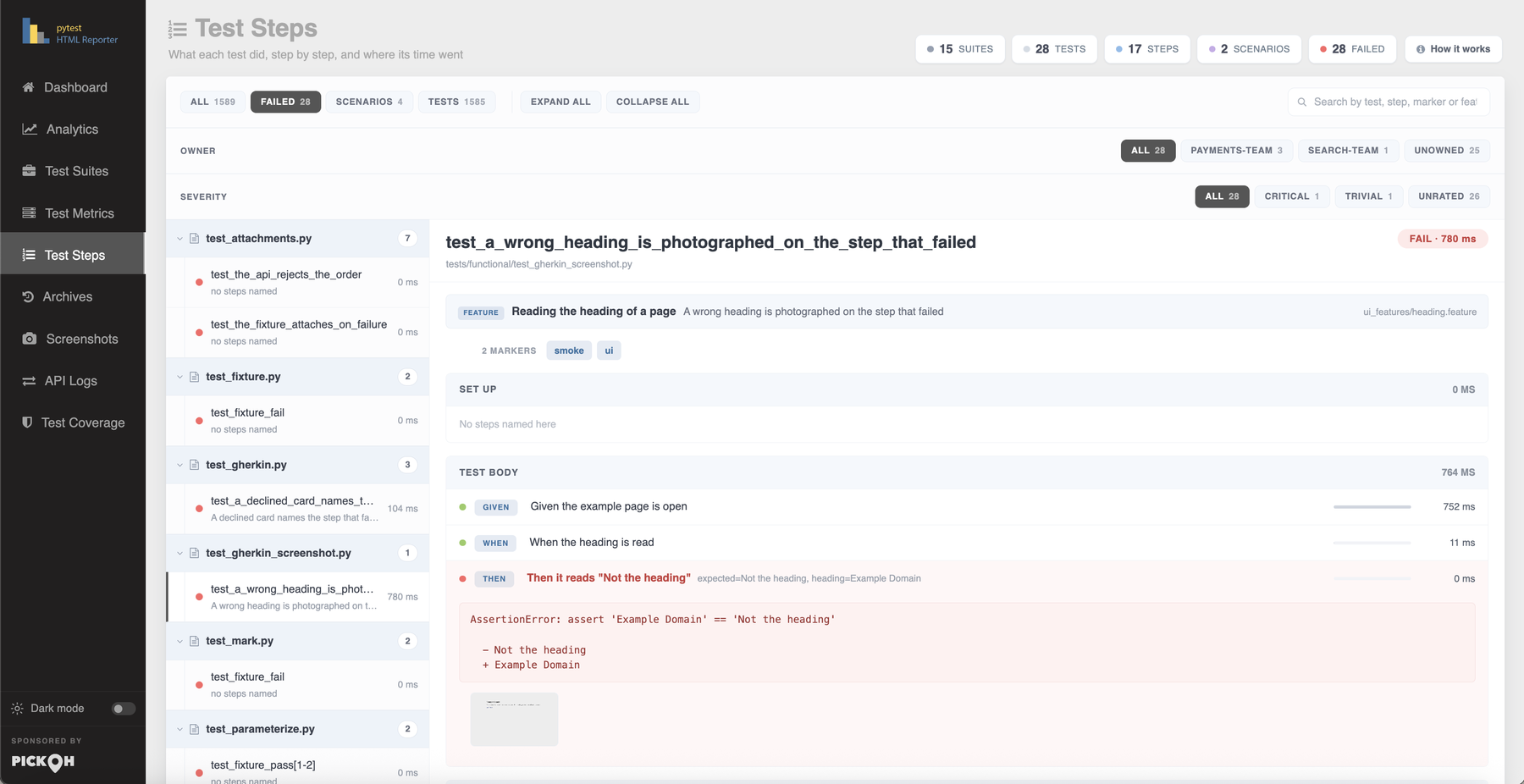
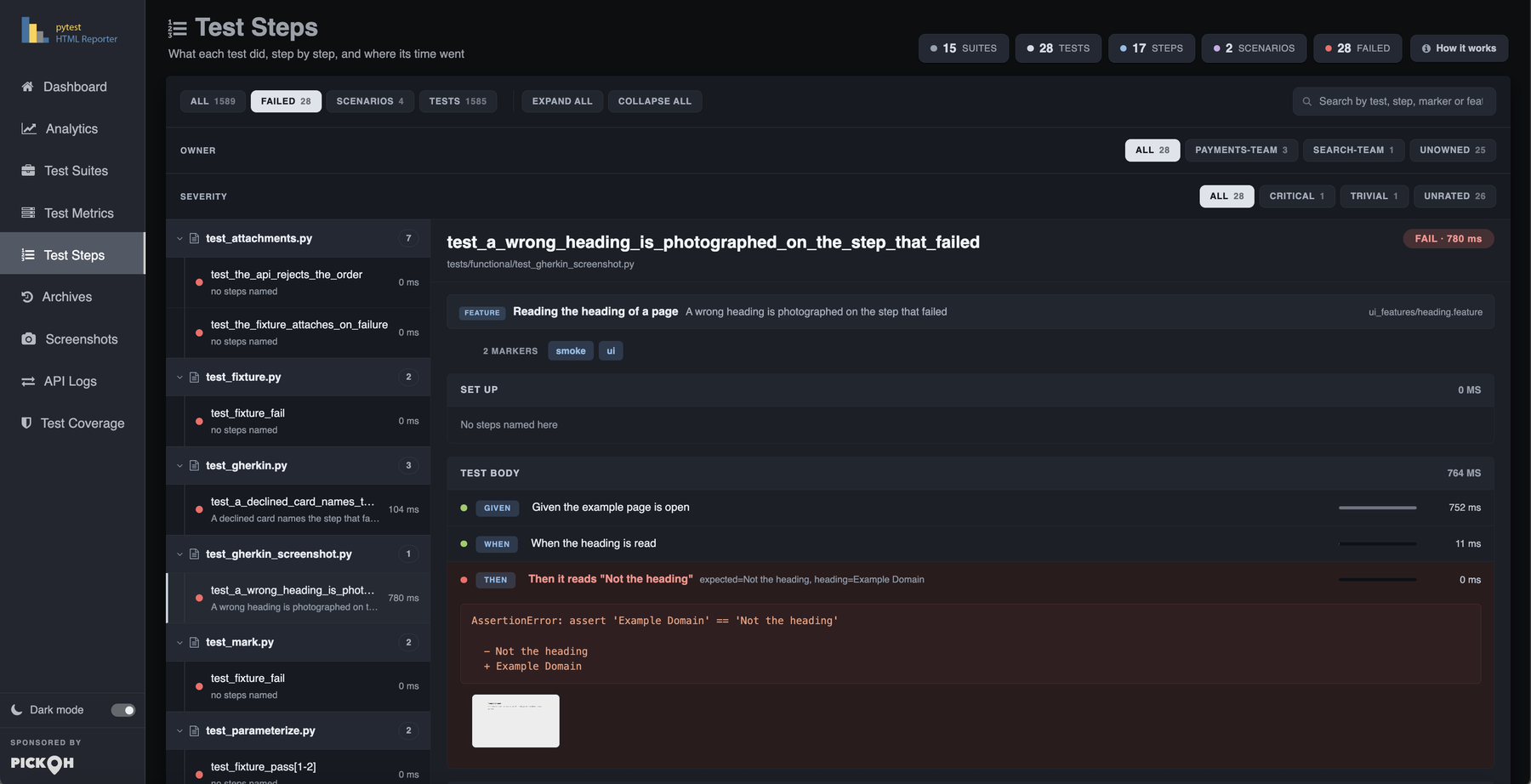
Nothing changes in the suite. The scenario below fails on its Then, and neither the feature file nor the step definitions mention screenshots, hooks or this plugin:
Feature: Reading the heading of a page

  Scenario: A wrong heading is photographed on the step that failed
    Given the example page is open
    When the heading is read
Then it reads "Not the heading"from pytest_bdd import given, parsers, scenarios, then, when
scenarios("ui_features")
@given("the example page is open")
def _open(page):
page.goto("https://example.com")
@when("the heading is read", target_fixture="heading")
def _read(page):
return page.locator("h1").inner_text()
@then(parsers.parse('it reads "{expected}"'))
def _reads(heading, expected):
assert heading == expectedThe Given/When/Then arrive in the report as steps on their own, badged as Gherkin — see steps and BDD for that half of the tab.
Where the picture appears
One capture, three places in the report — because a picture is useful for a different reason in each of them.
- The Screens column, on Test MetricsA thumbnail on the row itself, next to the error it explains, opening full size when clicked. The column sorts on the count, since every one of those cells has the same empty text.
- The Screenshots galleryEvery image the run produced, each card naming the suite and the test, badged with how the test ended and carrying its error. The lightbox is the report's own: the arrow keys and the buttons move through the run's screenshots, Escape or a click outside closes it.
- The step that threw, in Test StepsNew in 0.4.0. The Screens column and the gallery both say a picture exists; neither says where in the test it was taken.
Filing a picture on a step takes a little care. An image attached mid-test knows its own step already and says so itself — which is what puts one on a step of a test that passed. An automatic capture runs from the teardown hook with no step open at all, so those are filed against the step carrying the error: a photograph of the browser at the end of a failing test is a photograph of the state that step left behind.
A test that named no steps — which is most tests — shows its picture under Test body. The body is where it ran, and a picture with nowhere better to go is still worth having on the page.
pytest tests/functional/test_selenium.py tests/functional/test_playwright.py --html-report=./report.
What is deliberately not photographed
Recognising a browser by capability has one thing wrong with it, and it has a name.
Mock answers every call ever made to it, screenshot calls included — so it would be photographed on the strength of a method it does not have, and calling it would record a call the test may well be asserting on afterwards. Anything from unittest.mock or mock is ruled out by what it is rather than by what it can do. It is the only such exception.The rest are quieter, and all of them end the same way: a report with no picture of one test beats a test that failed while being reported.
| Situation | What happens |
|---|---|
| A screenshot call raises — a page already closed, a driver whose session is gone, a browser that crashed on its way out | Caught. That test has no picture; nothing else changes. |
The call hands back something that is not the image — splinter's screenshot() returns a file path | Not treated as a screenshot. The driver underneath the wrapper is tried first for exactly this reason. |
| The call hands back a coroutine — Playwright's async API | Closed rather than left to warn against the test. Attach from the test body instead. |
| A test is driving more than four browsers at once | The first four are photographed. A row of thumbnails stops being readable long before it stops being generated. |
| The test already attached an image of its own | No automatic capture. The picture it asked for is the one it keeps. |
An image that no test claims is discarded rather than left in the buffer — otherwise the next test to finish would pick it up and present it as a picture of a page it never opened.